
Technology
Three terminals, one conversation
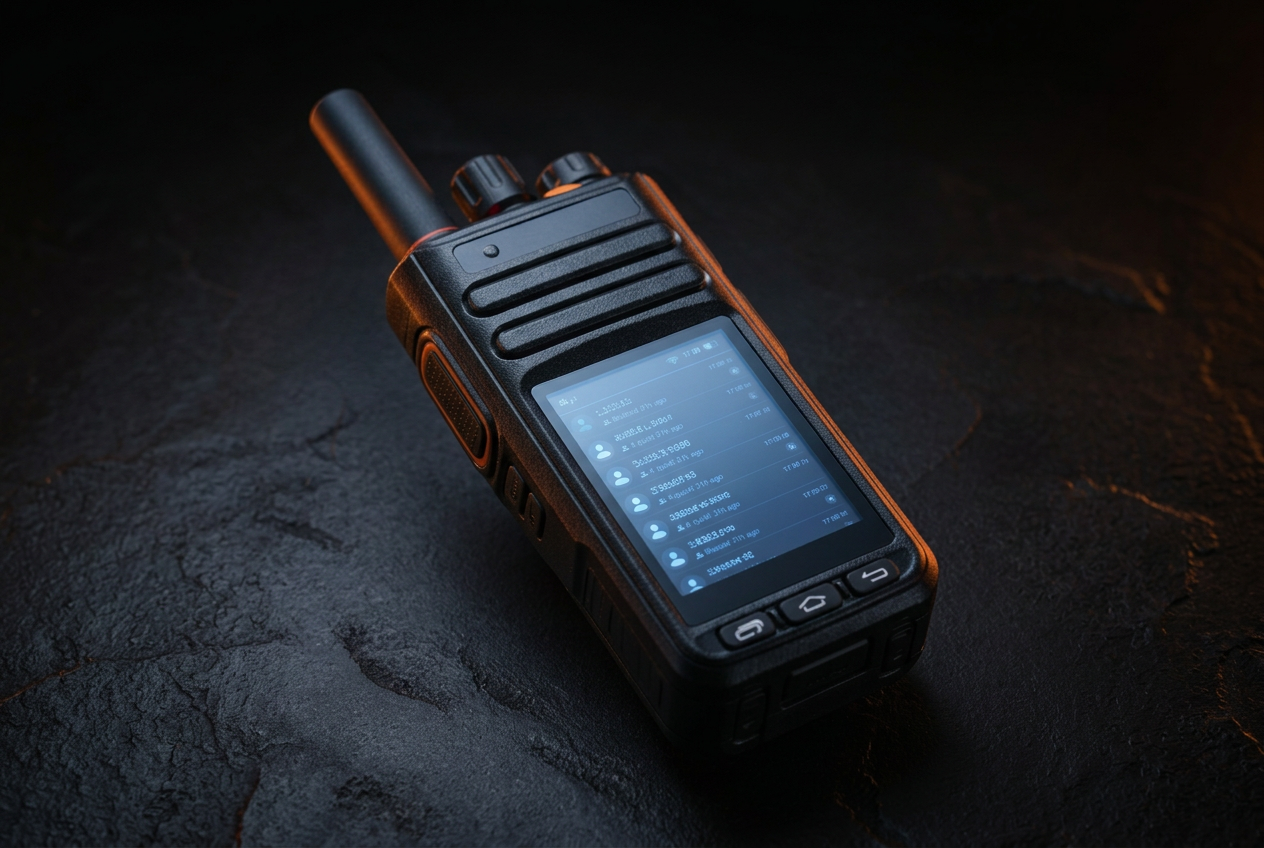
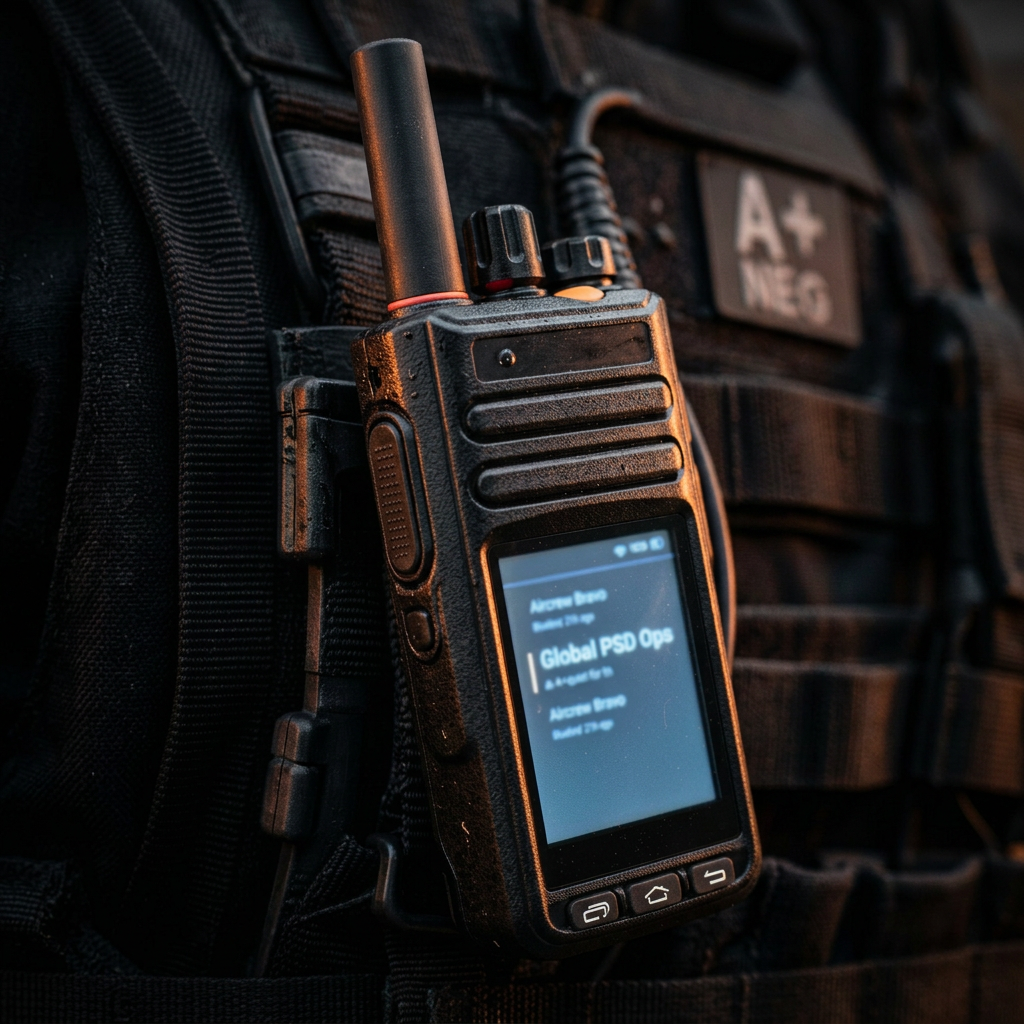
The Merlin6 Handheld Terminal is where it starts: one button, no menus to learn under pressure, built for rain, dust, and concrete. Behind it sit the Merlin6 Field Operations Terminal and the Merlin6 Control Room Surface, so the same channels reach from a stairwell to a wall of screens.
01Handheld terminal
M6 Handheld Terminal
- Protection rating
- IP54, dust protected and splash resistant
- Connectivity
- 4G and LTE, wifi, Starlink satellite wifi, radio to radio mesh
- Encryption
- AES-256 end-to-end, customer supplied keys optional
- Battery
- Full shift use, hot swap pack, vehicle and desk charging
- Display
- Sunlight readable screen with tactical map and transcripts
- Audio
- Noise cancelling microphone, loud speaker, discreet earpiece port
- Controls
- Glove ready push to talk, volume, channel selector, SOS button
- Mounting
- Belt clip, molle mount, vehicle cradle, chest rig strap
- Configuration
- Reconfigured live and remotely by our support staff or from the Merlin6 Control Room Surface
02Field operations terminal
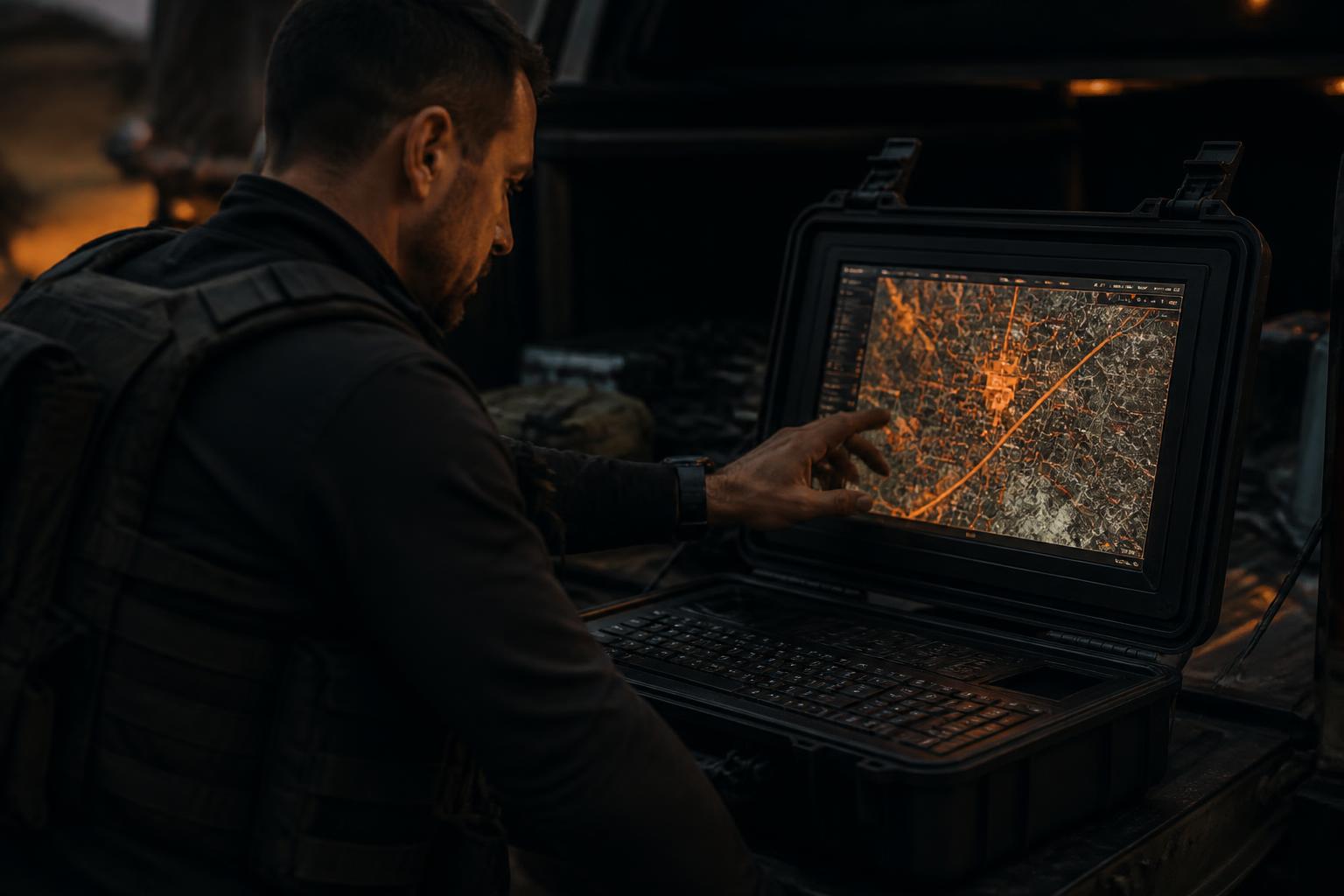
M6 Field Operations Terminal
A rugged 16 inch case with a touchscreen inside the lid. Opened on a tailgate it becomes the forward command position: a large tactical map for whoever is running the ground, and a base station that carries nearby radios onto the channel when there is nothing else to connect to.
- Large touchscreen tactical map for the forward commander
- Base station for nearby radios, extending the channel where there is no network
- Integrated Starlink satellite uplink for a backhaul link with no local network
- Closes into a rugged 16 inch case for transport and rough handling
- Runs from a vehicle supply or its own battery pack
03Control room surface
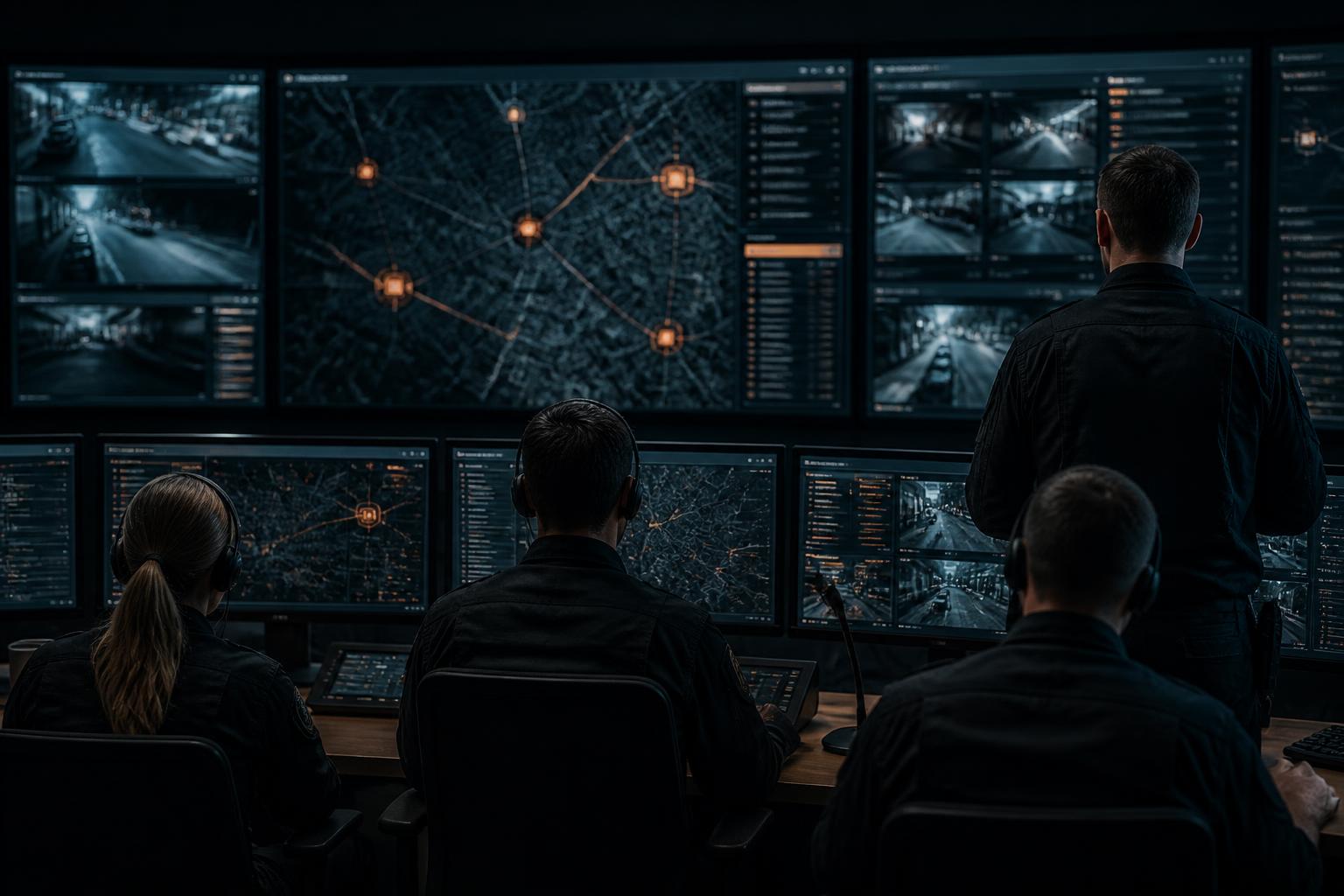
M6 Control Room Surface
A secure web application for the control room. Operators hold voice on every channel, watch the live map on the big screen, read transcripts and incidents as they come in, and reconfigure any radio in the fleet without touching the hardware.
- Talk and listen on every channel from the operator position
- Live map of the whole operation on the wall display
- Transcripts, incidents, and SOS alerts as they happen
- Live remote reconfiguration of any radio in the fleet
04Integrations
Connects to the systems you already run
Merlin6 is built to sit alongside an existing command and control setup rather than replace it. A documented API carries positions, channel activity, transcripts, incidents, and SOS alerts into your platform, and an MCP server exposes the same picture to the AI assistants your team already works with.
API
- REST endpoints and webhooks for positions, channel activity, and unit status
- Transcripts, incidents, and SOS alerts pushed to your C2 platform as they happen
- Send messages and alerts to any radio or channel from your own system
- Remote configuration of fleet, channels, and team structure
- Token based access with scoped permissions and full audit logging
MCP server
- A hosted MCP server so AI assistants can query the live operational picture
- Tools for unit positions, channel history, transcripts, and open incidents
- Read only by default, with write tools enabled per deployment
- Works with Claude, ChatGPT, and any MCP capable agent or assistant
05Fleet
Radios arrive ready to work
Every unit is configured for your channels, keys, and team structure before it ships. Power on and the radio joins the operation.